
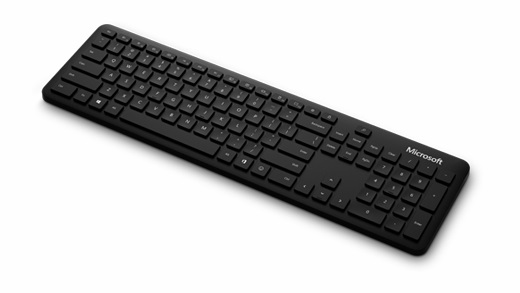
Microsoft Wireless Bluetooth Keyboard
Compact design, RGB backlighting, responsive switches—optimized for gaming and productivity.
Requirements
To get set up, you’ll need a PC that’s running Windows 10 with support for Bluetooth 4.0 or later. This keyboard supports Swift Pair in Windows 10 for faster pairing. To use the Office key or the Emoji key, you’ll need a PC that’s running Windows 10 Version 1903 or later.
Connect your keyboard
- Press and hold the pair button on the bottom of the keyboard for 5 seconds, until the LED starts to flash.
-
On your Windows 10 PC, select Connect if a notification appears for your keyboard, then wait for it to get set up.
Don’t see the notification? Select the Start button, then select Settings > Devices > Bluetooth & other devices > Add Bluetooth or other device > Bluetooth > Microsoft Bluetooth Keyboard > Done.
Express yourself with emojis
Let people know if you’re , , or in between . Just press the Emoji key and select the emojis that say it all for you. With the Emoji key, you can add emojis quickly—just like you would on your phone.
Microsoft Office at your fingertips
Get to your Microsoft Office apps in a second with the Office key on your Microsoft Bluetooth Keyboard. Want to open Word quickly? Just press the Office key + W. With the Office key, you can get to the Office apps you use every day without taking your hands off the keyboard. To learn more, see Using the Office key.
Download the Microsoft Mouse and Keyboard Center
Customize hot keys for easy access to media controls and your favorite apps by using the Microsoft Mouse and Keyboard Center. To get the app, see Mouse and Keyboard Center download.
Specifications
| Generic | |
|---|---|
| Warranty | 1-Year Warranty |
| Brand - Peripherals | Microsoft |
| Lighting | No |
| Connectivity | Bluetooth |
| Intended Use | Home / Office |
| Keyboard | |
|---|---|
| Hot-Swappable | No |
| Layout | Full-Size (100%) |
| Switch Class | Membrane |
| Programmable Keys | No |
| Dedicated Media Control Keys | No |